
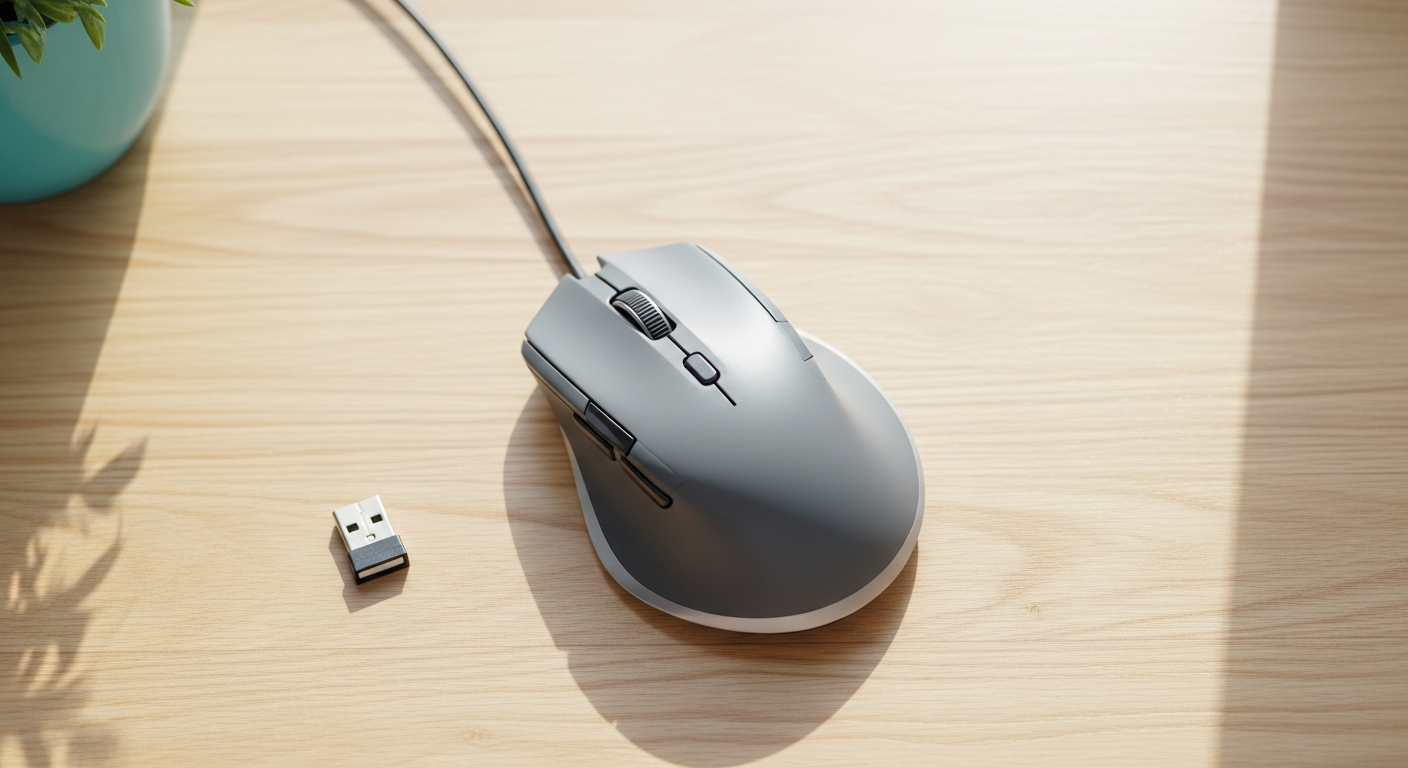
Keychron BM27 Silent Wireless Ergonomic Mouse Launches at $34.99
Keychron steps away from gaming peripherals to offer office workers a quiet, comfortable wireless mouse with a 55-degree angled grip and 100-hour battery life. Here is what the specs look like.
A Mouse Built for the Desk, Not the Arena
Keychron has spent the last couple of years making a name for itself in gaming peripherals, but the company’s newest mouse takes a sharp turn toward the office. As reported by TechPowerUp, the BM27 is a silent wireless ergonomic mouse aimed squarely at people who spend long hours at a desk and would rather not hear every click echo through a quiet room.
The headline feature is the 55-degree angled grip, which puts the hand in a more natural handshake position to reduce wrist strain over extended sessions. All buttons use silent micro switches, and the outer shell gets a soft-touch UV finish that Keychron says adds to overall comfort. It comes only in Space Gray right now. The BM27 weighs 99 grams and measures 66.57 mm tall, 111.61 mm long, and 83.91 mm wide.
Specs That Match the Mission
Under the hood sits the PixArt PAW 3212 sensor, which tops out at 2400 DPI and tracks at up to 30 IPS. The polling rate maxes out at 1 kHz. Those numbers are more than reasonable for moving around spreadsheets, writing documents, or clicking through browser tabs. TechPowerUp’s write-up is candid about the limits, noting that the performance profile is probably not enough for gaming. Fair warning, then, if you were hoping to pull double duty.
The BM27 offers three connection modes: Bluetooth, 2.4 GHz wireless, and wired USB Type-C. Keychron includes both a Type-C and a Type-A dongle for the 2.4 GHz connection, covering modern laptops and older desktop setups alike. A dedicated storage compartment sits on the underside of the mouse for the Type-A dongle, which is a small but genuinely thoughtful touch for anyone who travels with their peripherals.
Battery life is one of the stronger selling points. Keychron claims up to 100 hours of use over Bluetooth from the 500 mAh cell. That is a lot of runway between charges, and for a productivity mouse that is probably spending most of its life on the same desk, it means charging stops being something you think about very often.
Six Buttons, One Launcher
The BM27 ships with six programmable buttons. Three are the standard left, right, and middle clicks. The other three consist of one button tucked behind the scroll wheel and two thumb buttons on the side. All six can be customized through Keychron Launcher, the company’s software. That is a modest but practical layout for a productivity mouse, enough to assign shortcuts without turning the device into a crowded side panel.
$34.99 and the Comparison Conversation
At $34.99, the BM27 lands in a competitive but not overcrowded spot. A small discussion thread on TechPowerUp lit up with commenters noting the visual similarity to Logitech’s own vertical mouse lineup, though other readers were quick to point out that mouse shapes are not something you can patent, citing the many GPX and Viper-style clones already on the market.
The price is aggressive for what you get: dual-mode wireless, silent switches, a dongle storage compartment, and a sensor that handles everyday computing without complaint. Anyone who types for a living and has started feeling it in their wrist might find $34.99 a reasonable bet.
How much does the Keychron BM27 cost?
The Keychron BM27 is priced at $34.99 on Keychron's online store, according to TechPowerUp.
What wireless connectivity options does the Keychron BM27 support?
The BM27 supports Bluetooth, 2.4 GHz wireless via included USB Type-C and Type-A dongles, and wired USB Type-C connectivity.
Is the Keychron BM27 good for gaming?
Probably not. The PixArt PAW 3212 sensor tops out at 2400 DPI and 30 IPS with a 1 kHz polling rate, which TechPowerUp notes is likely insufficient for gaming use cases.
How long does the Keychron BM27 battery last?
Keychron claims up to 100 hours of use over Bluetooth from the 500 mAh battery.